This is a demonstration video on how to embed a video onto a web page. On this page there will be a step-by-step tutorial on how to apply a video to your web page. Here is a video on simple html code commands. Learn HTML in 12 minutes
Follow along for step by step instructions
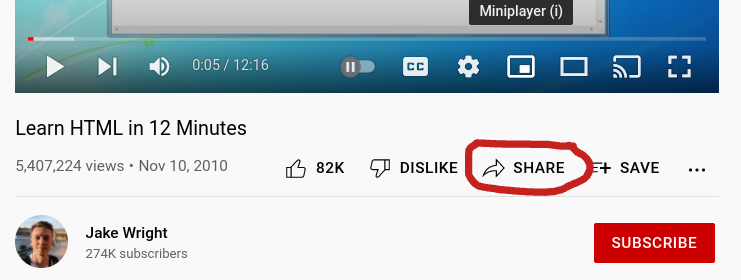
Open the link to your Youtube video. Below the player is an option to Share your video.
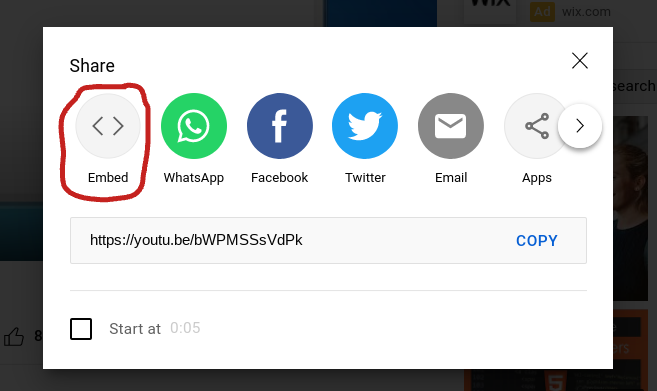
Select the option named Embed.
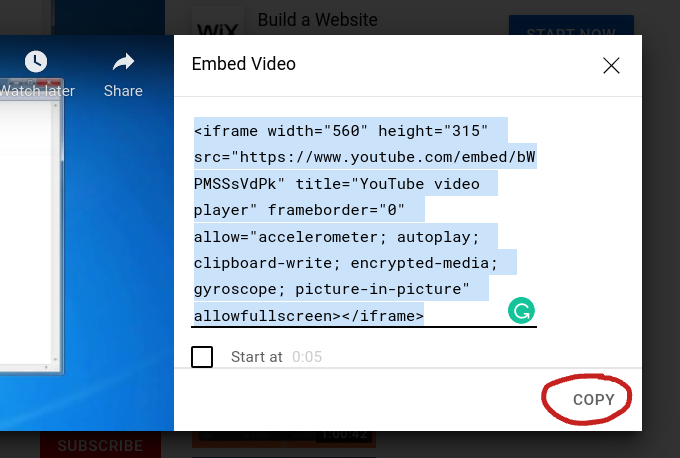
A dialog box will open containing the HTMl code to embed in your site. Select the code and copy it using Ctrl-C.
Insert the code in your web page to embed a player for the video you selected. Heres what the embedded code on this page looks like: